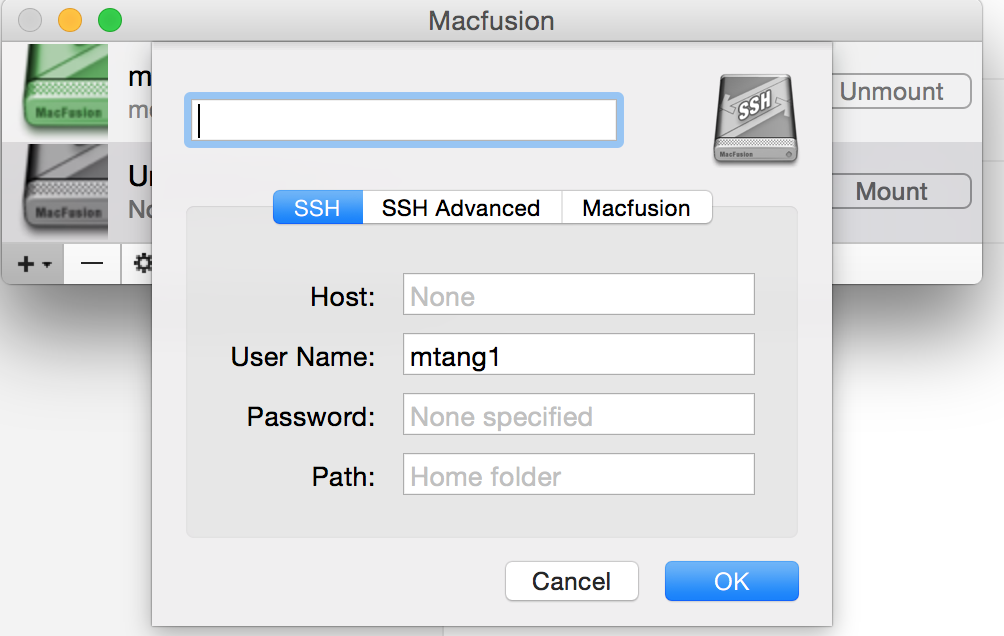
I work frequently with remote computing cluster. I want to mount a remote server to my local computer (a mac). In this post, I will show you how to use SSHFS to achieve that.
First, you need to read OSXfuse wiki. You might also want to read this post.
For me, I have Homebrew and brew cask installed, so I just need to:
brew cask install osxfuse
brew install sshfs
Then, go to Macfusion. Install macfuse first. Download Macfusion, unzip it and put it to your Application folder.
In the terminal, type commands below:
cd /Applications/Macfusion.app/Contents/PlugIns/sshfs.mfplugin/Contents/Resources
mv sshfs-static sshfs-static.orig
ln -s /usr/local/bin/sshfs sshfs-static
You then can click the Macfusion GUI and set up the server. If everything is OK, you will see the server is mounted in the /Volumes folder. If you want /Volumes folder to be shown under the Finder.
on command line do:
sudo SetFile -a v /Volumes